Mail Events
SMTP

- Key in the settings of SMTP in Settings
-
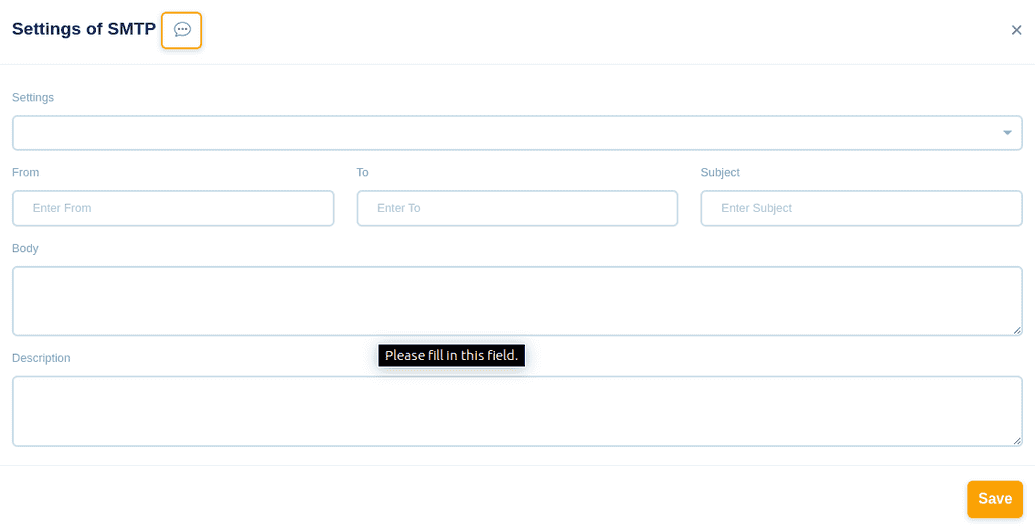
- In the From section, key in From Which Email Address the file should be sent
- Into the section, key in To Which Email Address the file should be sent
- In the Subject section, key in Subject Of Email meaning emails only with this subject will be sent
- In the Body section, key in Body Of Email meaning emails only with this body will be sent
- In the description box, you can give a short description for your reference
- Click the Save button to save this event

IMAP

Read the Email from Imap
- Key in the settings of IMAP in Settings
-
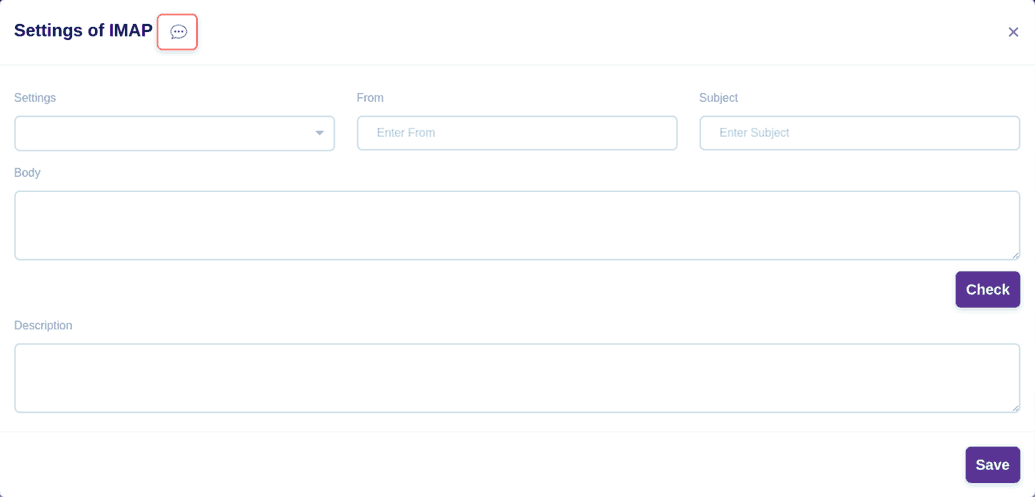
- In the From section, key in From Which Email Address the file should be fetched
- Into the section, key in To Which Email Address the file should be fetched
- In the Subject section, key in Subject Of Email meaning emails only with this subject will be fetched
- In the Body section, key in Body Of Email meaning emails only with this body will be fetched
- In the description box, you can give a short description for your reference
- Click the Save button to save this event
